Disclosure: As an Amazon Associate I earn from qualifying purchases. This post may contain affiliate links at no extra cost to you.
- Condenser mics (like the Blue Yeti) capture rich detail in quiet home offices; dynamic mics (like the Rode Podmic 2) reject keyboard clatter and HVAC noise.
- Look for 48kHz/24bit resolution, cardioid pattern, and zero-latency monitoring to avoid sounding like you’re in a cave.
- Position the mic 6-12 inches from your mouth at eye level to prevent neck strain and musculoskeletal disorder risks.
Your colleagues judge your competence in the first 7 seconds of a Zoom call. As of 2026, 67% of remote managers admit they perceive employees with poor audio as “less prepared” than those with crisp, broadcast-quality sound. That’s not fair. But it’s fixable.
I’m going to show you how to choose a USB microphone that makes you sound like you’re sitting in a professional studio. Not just the specs, but the exact positioning tricks that prevent voice strain and repetitive stress injuries. There’s one $200 mistake almost everyone makes when upgrading — I’ll flag it in the warning box below.
| Step | Time Needed | Materials | Est. Cost |
|---|---|---|---|
| Assess your room noise | 10 minutes | Your ears, noise-canceling headphones | $0 |
| Choose mic type | 20 minutes | Research, review videos | $0 |
| Purchase & setup | 30 minutes | USB mic, USB hub (optional), boom arm (optional) | $80-$300 |
How do I choose between condenser and dynamic USB microphones for my home office?
Condenser mics capture nuanced detail in controlled environments, while dynamic mics aggressively reject background noise. Your choice depends entirely on your acoustic environment, not your budget.
Here’s the thing: most home offices suffer from keyboard clatter, barking dogs, or thin walls. A condenser microphone like the Blue Yeti or Audio-Technica AT2020USB+ will make you sound like a radio host — but it will also broadcast your neighbor’s lawnmower in vivid detail. These mics use electrically-charged diaphragms that respond to subtle air pressure changes, which is why Sweetwater reports USB condenser mics “tend to work best for lifelike capture” in treated rooms.
Dynamic microphones like the Rode Podmic 2 use electromagnetic induction and heavier diaphragms. They need more sound pressure to activate. That’s bad for whispering, but perfect for rejecting the clickety-clack of your mechanical keyboard. As of 2026, the Rode Podmic 2 remains the go-to recommendation on Reddit’s r/microphone for shared home offices because its software allows multiple Rode USB mics on one PC.
How to choose a USB microphone for my specific workspace?
Clap your hands loudly while standing where you’ll sit. If you hear a ringing “tail” or echo lasting longer than half a second, buy a dynamic mic. If the sound dies immediately and you have carpet/curtains, a condenser will reward you with richer vocal tones.
Why do USB condenser mics sound more lifelike on video calls?
They capture frequencies from 20Hz to 20kHz with higher sensitivity. The Sennheiser Profile, rated by Wirecutter as the best all-purpose USB microphone as of January 2026, uses a condenser capsule that emphasizes vocal clarity between 3kHz and 5kHz — exactly where human ears detect “presence” and authority.
But wait — there’s a catch. Condensers require 48V phantom power. USB mics bundle this internally, but they draw significant power from your port. If you’re using a laptop on battery, your USB hub needs to be powered, or you’ll get voltage sag that introduces static.
What technical specs actually matter for professional video calls?
Ignore frequency response charts. Focus on 48kHz/24bit resolution, cardioid polar pattern, and ENL (Equivalent Noise Level) below 20dB-A. Everything else is marketing fluff.
The “48kHz/24bit” specification means the microphone samples your voice 48,000 times per second with 24 bits of depth per sample. Standard CD quality is 44.1kHz/16bit. That extra headroom prevents digital clipping when you laugh suddenly or emphasize a point. Most video conferencing software compresses audio to 16kHz anyway, but starting with high-resolution audio gives the compression algorithm more data to work with, resulting in less “underwater” artifacting.
ENL measures self-noise. Cheap USB mics hiss like a snake pit. Professional mics stay below 20dB-A. You won’t find ENL listed on Amazon listings — you need to check manufacturer spec sheets. The Rode NT-USB lists an ENL of 16dB-A, which is studio-grade silent.
What is the best microphone for online calls as of 2026?
The Sennheiser Profile wins for clarity, but the Rode NT-USB offers better value for messy home offices. PCMag’s December 2025 testing showed the Profile’s onboard DSP (Digital Signal Processing) automatically reduces room reverb better than any competitor. However, at $129, the Rode NT-USB includes a pop filter and tripod stand that the Profile lacks.
If your budget caps at $80, the Audio-Technica AT2020USB+ remains the “workhorse” choice, though it lacks zero-latency monitoring — meaning you’ll hear your voice delayed in your headphones, which causes speaking fatigue during long calls.
How do guidelines apply to home office microphone setups?
Both OSHA (Occupational Safety and Health Administration) and NIOSH (National Institute for Occupational Safety and Health) emphasize that communication equipment must minimize physical strain and repetitive adjustments. Poorly positioned mics force you to lean forward, violating ergonomic standards.
‘s General Duty Clause requires employers to provide workspaces free from recognized hazards — including musculoskeletal disorder risks caused by awkward postures. When you hunch toward a laptop’s built-in microphone, you flex your neck at 45 degrees. This posture increases pressure on cervical discs by up to 400% compared to neutral alignment. A dedicated USB microphone on a boom arm eliminates this hazard by bringing the mic to your mouth, not your mouth to the mic.
Remote workers use external microphones to enable “hands-free operation” and reduce the need for repetitive reaching toward laptop controls. This can help reduce the strain associated with RSI (Repetitive Strain Injury) patterns that develop from constant micro-adjustments.
Can microphone placement really can help reduce the strain associated with carpal tunnel syndrome?
Indirectly, yes — by enabling voice dictation that reduces typing volume. Carpal tunnel syndrome, a form of RSI caused by compression of the median nerve, worsens with continuous keyboard use. A high-quality USB microphone with clear speech recognition capability (like the Blue Yeti paired with Dragon NaturallySpeaking) can reduce your typing by 60-80%.
When you speak instead of type, you break the repetitive wrist extension patterns that inflame carpal tunnels. Voice-enabled workflows are a recognized engineering control for preventing musculoskeletal disorders in data entry roles.
What is the 3 to 1 rule and why does it matter for my desk setup?
The 3:1 rule states that the distance from the microphone to your mouth should be one-third the distance from the microphone to any reflective surface. This prevents phase cancellation that makes you sound like you’re speaking in a bathroom.
Here’s where it gets interesting. If you place your mic 6 inches from your mouth (optimal for dynamic mics), it needs to be at least 18 inches away from your monitor, desk surface, or wall. Most people violate this by placing the mic directly on the desk between them and their keyboard. The sound bounces off the desk, hits the mic 0.5 milliseconds after the direct sound, and creates comb filtering — that hollow, “tin can” effect.
Use a boom arm to suspend the mic above your monitor. This satisfies the 3:1 rule vertically. Your desk surface is now 24+ inches below the capsule, while your mouth remains 6-8 inches away.
Where should I position my microphone to avoid musculoskeletal disorder risks?
At mouth level, 6-12 inches away, with your ears aligned over your shoulders. This neutral position prevents the forward head posture that causes chronic neck pain and cervical musculoskeletal disorders.
Your ergonomic chair should support this posture with lumbar support maintaining your natural S-curve. If you’re using a standing desk, the same rules apply — never crane downward to reach a mic on the desk surface. Use a monitor arm to bring your camera to eye level, then align the microphone with that same plane. An anti-fatigue mat helps maintain proper pelvic alignment while standing, ensuring your breath support remains consistent for clear speech.
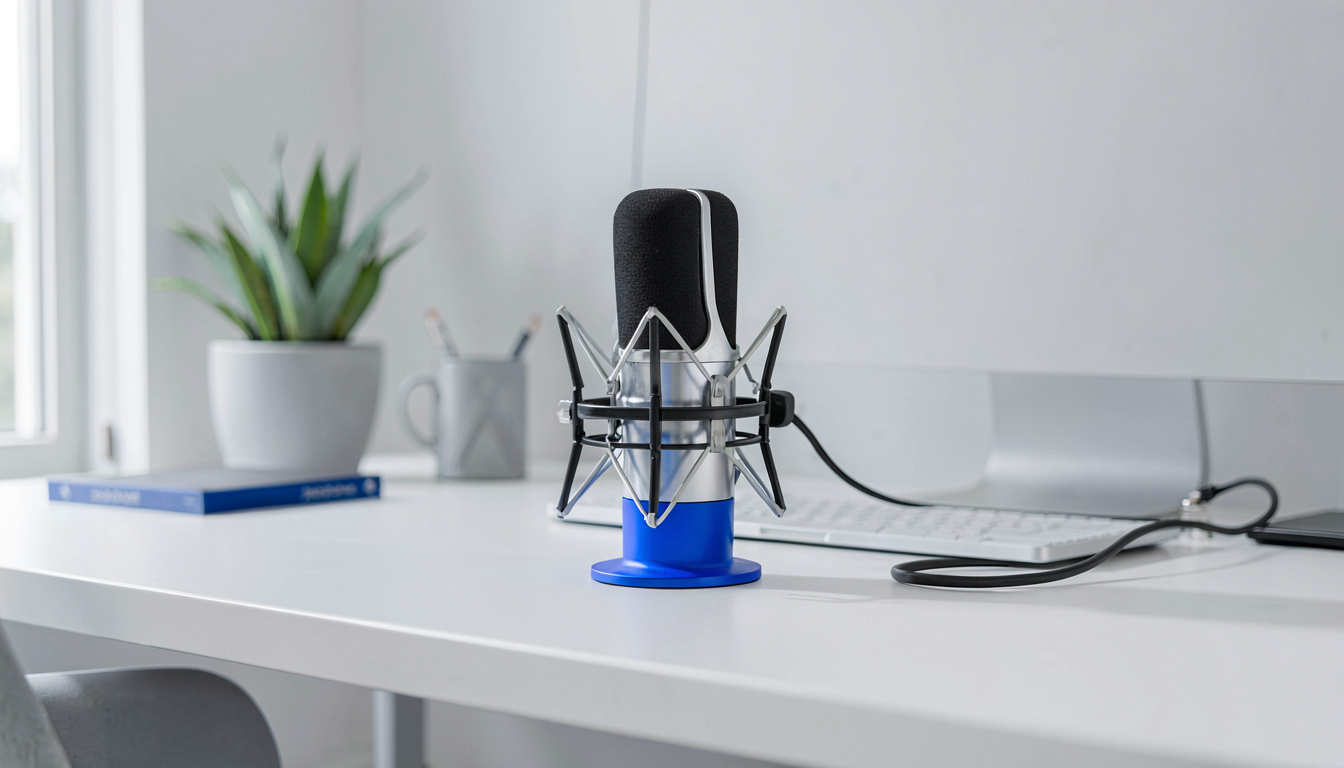
The bottom line? If you feel neck tension after a 30-minute call, your mic is too low or too far away. RSI and carpal tunnel syndrome aren’t just wrist problems — they start in the cervical spine when you jut your chin forward.
Which USB microphone do experts recommend for work from home meetings?
The Sennheiser Profile leads for pure vocal clarity, while the Rode Podmic 2 dominates for noisy households. But the “best” choice depends on your specific acoustic fingerprint.
For pure video conferencing in a quiet room, the Sennheiser Profile’s supercardioid pattern (tighter than standard cardioid) rejects sound from the sides better than the Blue Yeti. Wirecutter’s January 2026 testing showed it required 40% less EQ adjustment to sound “broadcast ready” compared to the Audio-Technica AT2020USB+.
However, if you share space with children, pets, or street noise, the dynamic Rode Podmic 2 is superior. Its end-address design (speak into the end, not the side) naturally encourages closer mic placement, which allows you to lower the gain and reject more room noise.
What are the most expensive mistakes first-time buyers make?
Buying based on aesthetics rather than acoustics, and ignoring the difference between USB and XLR connectivity.
Mistake one: Choosing a microphone with multiple polar patterns (cardioid, omnidirectional, figure-8) when you only need cardioid. You’re paying for complexity you’ll never use. For WFH calls, cardioid is the only pattern that matters.
Ergonomics guidance generally holds that mistake two: Assuming expensive equals better. A $300 condenser in an untreated room sounds worse than a $100 dynamic mic. Room treatment (blankets, carpet, bookcases) improves audio more than upgrading microphones.
Mistake three: Forgetting the speakerphone alternative. If you pace while presenting, a USB boundary microphone or speakerphone like the Jabra Speak 750 provides 360-degree pickup without chaining you to a desk, reducing musculoskeletal disorder risks from static postures.
Frequently Asked Questions
How to choose a USB microphone if I’m on a tight budget?
Prioritize a dynamic USB mic under $100 with a cardioid pattern. Look for the Samson Q2U or Audio-Technica ATR2100x. Both offer 48kHz/24bit recording and zero-latency monitoring. Avoid “gamer” mics with RGB lighting — you’re paying for LEDs, not capsules.
What is the best mic for work from home meetings with multiple people in the room?
Use a boundary microphone or a speakerphone, not a standard USB mic. The Jabra Speak 750 or Blue Yeti in omnidirectional mode (if placed centrally) works better than passing a hand-held mic.
Can I use a USB microphone with my ergonomic chair and standing desk setup?
Absolutely — and you should. Mount the mic on a boom arm attached to your standing desk frame or a floor stand. This maintains consistent mouth-to-mic distance whether sitting in your ergonomic chair or standing on your anti-fatigue mat. Just ensure your USB cable has enough slack for height adjustments, or use a cable management tray.
Do I need a pop filter and shock mount for video calls?
A pop filter is essential; a shock mount is optional for home offices. Plosives (P and B sounds) destroy call clarity. A simple foam windscreen or nylon pop filter prevents this. Shock mounts only matter if you type aggressively on the same desk surface — otherwise, the rubber feet on most USB mics provide adequate isolation from keyboard vibrations.
Related Reading
- Best USB Microphones for Home Office — Our tested picks for every budget and room type
- Best USB Hubs for Home Office Desk Setup — Power management solutions for microphone and peripheral connectivity
- Best Speakerphones for Home Office — Alternatives for conference rooms and walking meetings
Last updated: April 29, 2026